
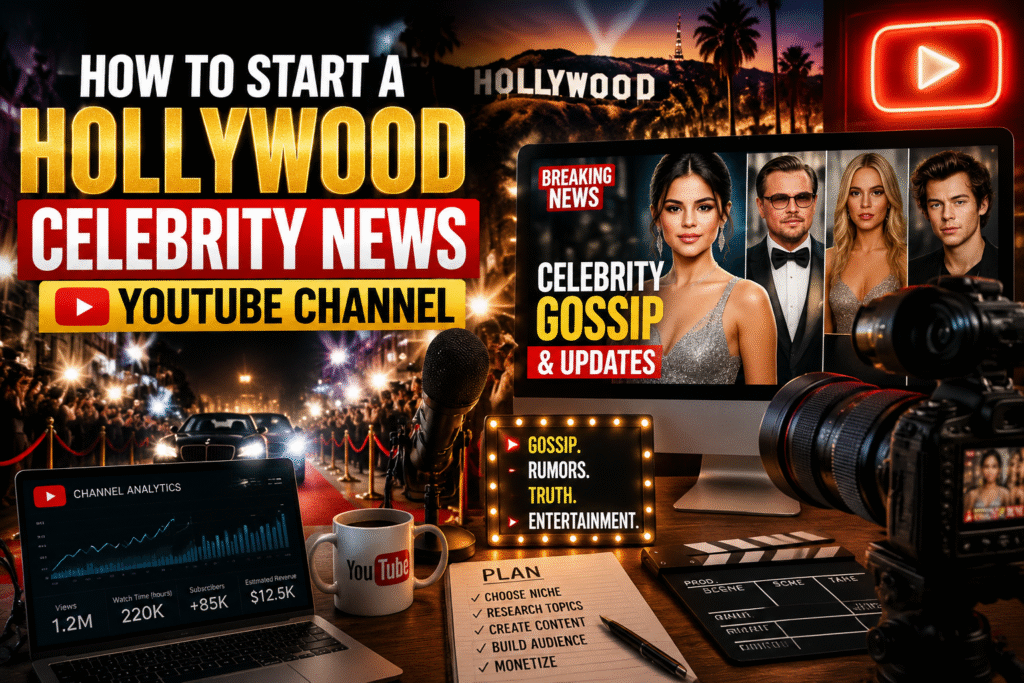
The allure of Hollywood, glitz, How to Start a Hollywood Celebrity News and celebrity gossip has captivated audiences for decades. If you’re passionate about entertainment and want to share your insights, starting a Hollywood celebrity news YouTube channel can be your ticket to fame, influence, and even revenue. But launching a successful channel goes beyond simply uploading videos—it requires strategy, research, and an understanding of both YouTube and audience behavior.
In this article, we’ll walk you through everything you need to know about creating a thriving celebrity news YouTube channel—from picking your niche to monetizing your content.
Why a Celebrity News Channel Can Be Profitable
Hollywood celebrity news content is consistently in demand. Millions of viewers search for updates on movie releases, fashion trends, red carpet events, and scandalous headlines. Here’s why it’s a lucrative niche:
- High Engagement: Fans are emotionally invested in celebrities and love commenting, sharing, and discussing news.
- Monetization Opportunities: AdSense, sponsorships, affiliate marketing, and fan memberships are viable revenue streams.
- Evergreen Content: Classic celebrity stories and trending gossip remain relevant, ensuring long-term viewership.
- Low Barrier to Entry: You don’t need a studio; a good camera, editing software, and research skills are sufficient.
Expert Insight: According to Statista, the entertainment industry’s online video consumption grows over 15% annually, highlighting the opportunity for YouTube content creators.
Step 1 – Identify Your Niche and Audience
Not all celebrity news channels are the same. Some focus on:
- Breaking celebrity news
- Movie and TV updates
- Fashion and lifestyle
- Celebrity scandals and gossip
- Interviews and personal stories
Tips for defining your niche:
- Analyze Competitors: Study popular channels like TMZ, E! News, or Hollywood Fix to see what works.
2. Define Your Audience: Are you targeting teenagers, young adults, or fashion enthusiasts?
3. Pick Your Unique Angle: Combine news with commentary, humor, or insider insights to stand out.
Step 2 – Research & Stay Updated Hollywood Celebrity News
Hollywood moves fast. Staying informed is crucial for credibility and engagement.
- Follow Reliable Sources: Variety, Deadline, The Hollywood Reporter, and official celebrity social media accounts.
- Set Alerts: Google Alerts and Twitter trends help you catch breaking news early.
- Organize Your Research: Use spreadsheets or content calendars to plan topics in advance.
Pro Tip: Early reporting, even by a few hours, can make your video go viral.
Step 3 – Content Planning & Scriptwriting for Hollywood Celebrity News
Engaging scripts separate viral videos from forgettable ones.
- Hook Viewers in 10 Seconds: Start with a shocking fact, question, or teaser.
- Include Storytelling: Don’t just report—add context, opinions, or trivia.
- Keep Language Simple: Use conversational, mobile-friendly language to reach a broad audience.
- Add Calls-to-Action: Encourage likes, comments, shares, and subscriptions.
Content Calendar Example:
Day Topic Format Keywords
Mon
Celebrity Red Carpet Recap Video Hollywood news, celebrity fashion
Wed Breaking Gossip Video Celebrity rumors, trending Hollywood
Fri Top 5 Moments Video Hollywood highlights, celebrity news
Step 4 – Video Production & Editing
Good content needs good production to capture attention.
- Equipment: DSLR/mirrorless camera or high-end smartphone, tripod, microphone, and lighting.
- Editing Software: Adobe Premiere Pro, Final Cut Pro, or DaVinci Resolve.
- Visuals & Graphics: Add headlines, pop-ups, emojis, and clip montages for engagement.
- Thumbnail Optimization: Bright, bold, and curiosity-driven thumbnails increase CTR.
Internal Linking Suggestion: Link to a tutorial video on “Top YouTube Editing Tips for Beginners” for added value.
Step 5 – SEO & YouTube Optimization
To rank in search results and Google Discover:
- Primary Keyword Placement: Include “How to Start a Hollywood Celebrity News YouTube Channel” in the title, description, first paragraph, and H2 headings.
- Secondary Keywords: Use LSI keywords like “celebrity gossip,” “Hollywood news updates,” and “YouTube channel growth.”
- Tags & Categories: Use relevant tags and choose “Entertainment” as your category.
- Video Description: Write 200–300 words with links to sources, social media, and other videos.
- Closed Captions: YouTube’s auto-generated captions help with SEO and accessibility.
Step 6 – Promote Your Channel & Build an Audience
- Social Media: Share clips on Instagram, TikTok, and Twitter for cross-platform growth.
- Engage Your Viewers: Reply to comments, run polls, and host live Q&A sessions.
- Collaborate: Partner with other YouTubers or bloggers in the entertainment niche.
- Email Newsletter: Send weekly highlights to subscribers to increase loyalty.
Statistic: Channels that post consistently 2–3 times a week grow 3x faster in subscribers than irregular channels.
Step 7 – Monetization Strategies
Once your channel gains traction:
- AdSense Revenue: Enable monetization through YouTube Partner Program.
2. Brand Sponsorships: Collaborate with fashion, lifestyle, or tech brands.
3. Affiliate Marketing: Promote streaming services, gadgets, or merchandise.
4. Paid Memberships: Offer exclusive content or behind-the-scenes updates.
Expert Insight: Diversifying income streams reduces dependency on ad revenue and ensures long-term stability.
Key Takeaways How to Start a Hollywood Celebrity News
- Success requires research, planning, and consistency.
- SEO-optimized titles, descriptions, and tags improve discoverability.
- High-quality production and storytelling retain viewers.
- Engagement with your audience builds loyalty and growth.
- Monetization should begin only after consistent viewership.
Conclusion & CTA
Starting a Hollywood celebrity news YouTube channel is more than reporting gossip—it’s about creating engaging, trustworthy, and timely content. With the right niche, research, SEO strategy, and promotion, your channel can grow rapidly and even become a lucrative business.
Take Action: Begin by choosing your niche today, plan your first video, and start building your celebrity news empire on YouTube!
FAQ Section (Schema-Ready)
Q1: How much time does it take to grow a Hollywood news channel on YouTube?
A: Growth depends on consistency, content quality, and promotion. Typically, 6–12 months of consistent posting can yield noticeable results.
Q2: Do I need insider connections in Hollywood to succeed?
A: Not necessarily. Reliable research, trending news monitoring, and commentary can attract viewers without direct connections.
Q3: How often should I post videos?
A: Posting 2–3 times per week is ideal for growth and audience retention.
Q4: Can I monetize a celebrity news channel immediately?
A: Monetization requires at least 1,000 subscribers and 4,000 watch hours for the YouTube Partner Program. Sponsorships can be pursued alongside growth.
Q5: What’s the best software for editing celebrity news videos?
A: Adobe Premiere Pro, Final Cut Pro, and DaVinci Resolve are popular for professional-quality editing.